Detects Hidden Scam Patterns
Looks for urgency, impersonation, credential requests, suspicious links, and scam structures that are easy to miss in the moment.
Sign in to consult the engine.
Paste any message or upload a screenshot. We'll tell you if it's safe and what to do next.
Built to feel simple in the moment you need it. No dashboard clutter. Just the decision, the reason, and what to do next.
Paste a text message, email, or link below. If you only have a screenshot, upload it and we will extract the text first.
Run an analysis to see the result.
Help improve the engine when something feels overflagged, too weak, or just wrong.
See what the engine gets wrong most often so tuning stays grounded in real errors.
The experience stays calm and simple, even when the message in front of you is not.
Looks for urgency, impersonation, credential requests, suspicious links, and scam structures that are easy to miss in the moment.
Gives a plain-language reason for the result so you know what raised concern without needing to decode technical terms.
Shows the safest next step immediately, so you can verify through official channels and avoid the move a scammer wants.
Designed to keep the flow fast: check, understand, decide.
Drop in a text, email, link, or screenshot. If it is an image, the app extracts the message first.
The system checks for suspicious language, pressure tactics, impersonation cues, and risky requests.
You see a clear result, a short explanation, and the safest action to take next.
Should I Click is built to reduce hesitation and second-guessing when a message feels off. It keeps the decision simple: what this looks like, why it matters, and what to do next.
Scan the QR code below with any UPI app to pay ₹100.
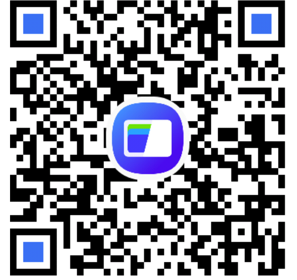
Enter your transaction ID above so the admin can verify your payment.
Approve manual UPI payments and unlock Premium accounts.
| Tx ID | Status | Action |
|---|